
Example 128 photos · 46 guests
All the photos of your event, in one place.
Your guests scan a QR code, type their first name and drop their photos and videos into a shared gallery that fills up live. On top of that: photo challenges, a leaderboard and a podium.
Example wall: AI-generated photos and demonstration names
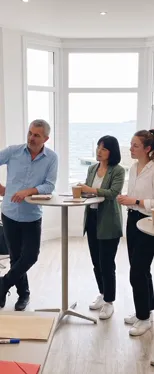








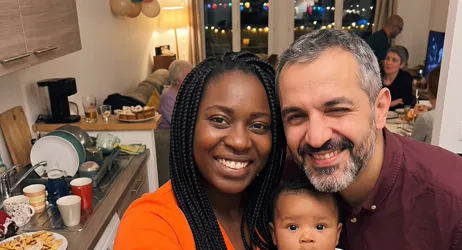

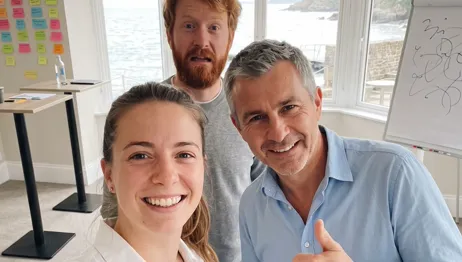






How it works
-

You create the event
On the website or in the app: name, date, tables or teams, challenges. Pellizz prepares one QR code per table, ready to print.
-

Your guests scan
One scan of the QR code on the table, a first name, and they're in. No account to create, no password.
-

Photos arrive live
Every photo or video shows up for everyone within seconds. If the network drops, it waits on the phone and goes out as soon as the connection is back.
An app, so nothing gets lost
Your guests install Pellizz by scanning the QR code on their table, then type their first name. That’s it: no account, no password. In return, the app does what a plain link can’t.
-
Uploads never give up
Every photo or video waits on the phone while the network is down, then goes on its own. Nobody has to send anything again.
-
A first name is enough
The first name shows under each photo. Those who want to can secure their account later, without losing their photos.
-
Notified at the right moment
When the challenges start, everyone gets a notification, then watches the leaderboard move live.
-
Just between you
Photos and videos are only visible to the event's participants, then deleted automatically at the end of the retention period.
-
You stay in charge
Co-organizers, photo and video moderation, rejecting a challenge photo, and exporting every photo and video as one ZIP file.
Photo challenges, and a podium to finish
You write the challenges: "the most creative group photo", "a selfie with the host"… Tables take them on, or everyone plays solo. The leaderboard moves live, and the podium appears when you end the challenges.
The leaderboard counts completed challenges; on a tie, whoever finished first ranks higher.
- Table 4 6 of 6 challenges 1
- Table 2 5 of 6 challenges 2
- Table 7 5 of 6 challenges 3


- 1 Table 4 6 of 6 challenges
- 2 Table 2 5 of 6 challenges
- 3 Table 7 5 of 6 challenges
- 4 Table 1 4 of 6 challenges
- 5 Table 5 3 of 6 challenges
For all your events
- Wedding Every guest’s photos, from the drinks reception to the dance floor.
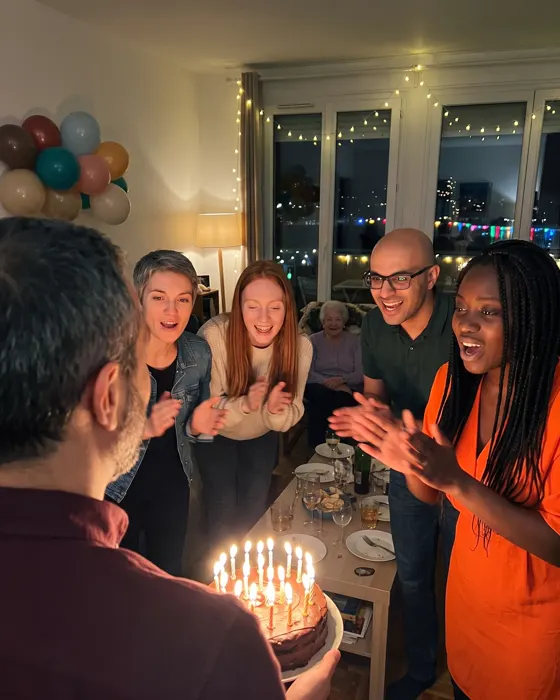
- Birthday Young and old in the photos: every guest adds their own.
- Seminars and team events Team challenges to break the ice, and all the photos in one place.
- Party Housewarming, surprise birthday, hen or stag night: the night told by everyone.



Pellizz in 35 seconds
One event from start to finish: the QR code on the table, the photos coming in, the challenges, the podium.
Plans
-
Up to 20 participants
Free
- 5 challenges
- 1 co-organizer
- Photos optimized for sharing
- Kept for 60 days
- Videos up to 30 s, 10 min in all
-
Up to 50 participants
€9.99
- Unlimited challenges
- Unlimited co-organizers
- Photos in original quality
- Kept for 12 months
- Videos up to 3 min, 1 h in all
- Without the “Made with Pellizz” mark
-
Up to 100 participants
€19.99
- Unlimited challenges
- Unlimited co-organizers
- Photos in original quality
- Kept for 12 months
- Videos up to 3 min, 2 h in all
- Without the “Made with Pellizz” mark
-
Up to 250 participants
€29.99
- Unlimited challenges
- Unlimited co-organizers
- Photos in original quality
- Kept for 12 months
- Videos up to 3 min, 4 h in all
- Without the “Made with Pellizz” mark
-
Up to 500 participants
€49.99
- Unlimited challenges
- Unlimited co-organizers
- Photos in original quality
- Kept for 12 months
- Videos up to 3 min, 8 h in all
- Without the “Made with Pellizz” mark
Prices include VAT, paid once for the event, with no subscription. Every paid plan has the same features: only the number of participants and the video time change.
Frequently asked questions
The questions to ask yourself before your event.

AI-generated demonstration photos
Another question? Write to us
Do my guests need to install an app?
Yes, the free Pellizz app. The QR code on their table opens it directly, or leads to its store page if it isn’t installed yet. It’s the app that keeps photos waiting when the venue’s network is saturated.
Do I need to create an account?
Not your guests: a first name is enough. You, the organiser, have an account to create and run your events, on the website or in the app.
How much does it cost?
The Free plan is free. For more guests, more challenges or a longer retention, a paid plan is bought once, for one event: no subscription.
Who sees the photos?
Only the participants of the event. The photos are never public, and they are deleted automatically at the end of the retention period.
What if there is no network in the venue?
The photos wait on the phone and go as soon as the connection is back, even later in the evening.
How do I get all the photos?
The organiser exports all the photos of the event into a ZIP file, on the website or in the app, and downloads it as soon as it is ready.
What kind of event is it for?
All of them: birthday, seminar, party with friends, family gathering… The event type only changes a few labels, like “team” instead of “table”.
Your next event starts here.
Create your event on the website or in the app and print the QR codes: your guests do the rest.