


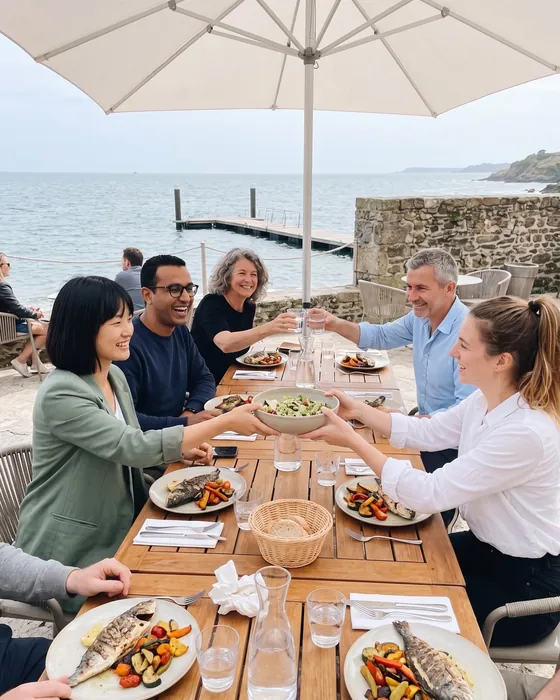

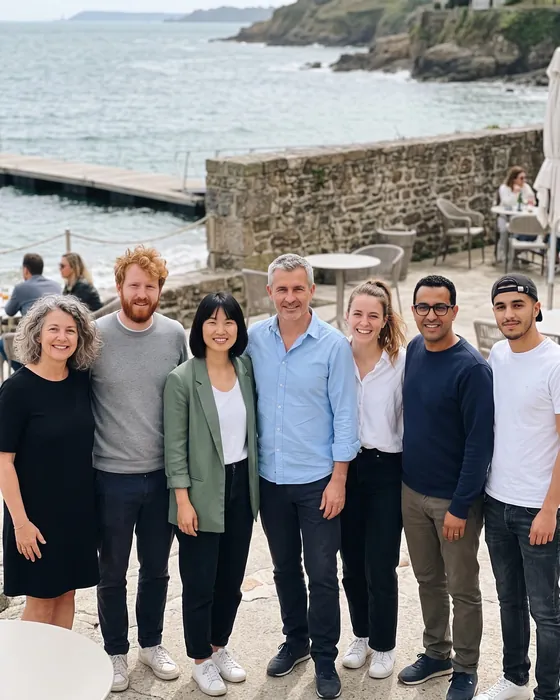
Seminars and team events: photos that bring teams together.
Photo challenges for your seminar or team building: team challenges to break the ice, and all the photos in a private gallery, for the participants only.
Example wall: AI-generated photos and demonstration names
How it goes
-

At check-in
One QR code per team: everyone joins theirs with a scan, no account needed.
-

During the day
Teams take on the challenges, the leaderboard updates live and the podium drops when you end the challenges.
-

After
You export all the photos into a ZIP file. An invoice in the company’s name is available on the website.
AI-generated demonstration photos
Challenge ideas
Examples: you write your own challenges, or pick from the ideas the app suggests.
- The team photo as an album cover
- The whole team in one selfie
- A photo with someone from another department
- The most colourful sticky-note wall
- The whole team on a single step
- The most creative coffee break
- Recreate the company logo with the team
- The best view from the seminar venue
- A photo with the day’s speaker
- The whole team mid-jump
- The most unlikely object in the office
- A selfie with the organisers
Our tips for your seminar
-
Mixed teams
Create the teams in advance and mix the departments: each team has its QR code, and everyone joins theirs in one scan.
-
Challenges that get people talking
A photo with someone from another department, the whole team in a single selfie: simple challenges that everyone can take on.
-
The leaderboard in the plenary room
During the breaks, the big screen shows the photos and the team leaderboard live. End the challenges before the closing talk: the podium appears.
-
Photos that stay between you
Only the participants see the gallery. After the event, you export the photos as one ZIP file; to reuse them in internal communication, ask the people in them for their consent.
Which plan?
For a team, pick the plan by the number of participants: you pay once, for the event, with an invoice in the company’s name if needed.
-
Up to 20 participants
Free
- 5 challenges
- 1 co-organizer
- Photos optimized for sharing
- Kept for 60 days
- Videos up to 30 s, 10 min in all
-
Up to 50 participants
€9.99
- Unlimited challenges
- Unlimited co-organizers
- Photos in original quality
- Kept for 12 months
- Videos up to 3 min, 1 h in all
- Without the “Made with Pellizz” mark
-
Up to 100 participants
€19.99
- Unlimited challenges
- Unlimited co-organizers
- Photos in original quality
- Kept for 12 months
- Videos up to 3 min, 2 h in all
- Without the “Made with Pellizz” mark
-
Up to 250 participants
€29.99
- Unlimited challenges
- Unlimited co-organizers
- Photos in original quality
- Kept for 12 months
- Videos up to 3 min, 4 h in all
- Without the “Made with Pellizz” mark
-
Up to 500 participants
€49.99
- Unlimited challenges
- Unlimited co-organizers
- Photos in original quality
- Kept for 12 months
- Videos up to 3 min, 8 h in all
- Without the “Made with Pellizz” mark
Prices include VAT, paid once for the event, with no subscription. Every paid plan has the same features: only the number of participants and the video time change.
Frequently asked questions
The questions to ask yourself before your event.
Another question? Write to us
How do team challenges work?
Each team has its own QR code: scanning it, everyone joins theirs. Teams take on the challenges you prepared, the leaderboard counts completed challenges and the podium shows up when you end the challenges.
Does Pellizz provide an invoice in the company’s name?
Yes. When you buy the plan on the website, you can ask for a business invoice with the company name, SIRET and VAT number, whatever the number of participants.
Do participants need to create an account?
No. They install the app, scan their team’s QR code and type their first name. Only the organiser has an account.
Do the photos stay internal?
Yes: only the event’s participants see the gallery. It is never public, the photos and accounts are hosted in the European Union, and the photos are deleted automatically at the end of the retention period.
What about the GDPR?
For professional use, the terms of use include a data processing addendum (GDPR article 28).
Other events



Your event starts here.
Create your event on the website or in the app and print the QR codes: your guests do the rest.