




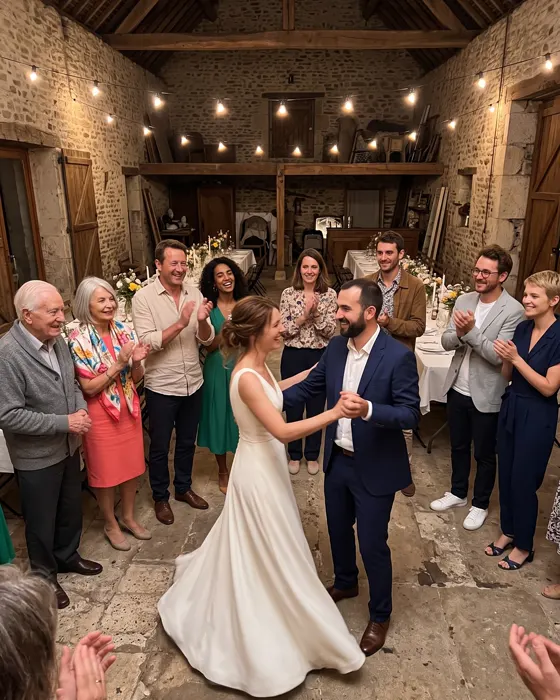

The wedding seen by all your guests.
A photo sharing app for your wedding: from the drinks reception to the dance floor, every guest scans their table’s QR code and adds their photos to the same gallery. You get them all, live.
Example wall: AI-generated photos and demonstration names
How it goes
-

At the drinks reception
A QR code on each table: guests join the gallery with a scan and a first name, no account needed.
-

During dinner
You start the challenges: each table takes on its own, and the leaderboard moves live in the app.
-

On the dance floor
Photos keep arriving all night, even when the venue’s network is saturated. Afterwards, you export everything into a ZIP file.
AI-generated demonstration photos
Challenge ideas
Examples: you write your own challenges, or pick from the ideas the app suggests.
- A selfie with the newlyweds
- The table’s most creative group photo
- A toast with the next table
- Someone dancing barefoot
- The best hat of the night
- Recreate a childhood photo of the couple
- The couple’s first dance steps
- The whole table in a single selfie
- A portrait of the best man and maid of honour
- The most beautiful detail of the decor
- A photo with the guest who came from furthest away
- The wedding cake before the first cut
Our tips for the big day
-
One QR code per table
The app prints one A4 sheet per table, with its QR code and its name: put it next to the place cards. Every guest joins the gallery and their table in one scan.
-
A witness in charge
Add a co-organiser: they start the challenges, follow the leaderboard and moderate the photos while you enjoy the evening.
-
The gallery on the big screen
From the account space, the slideshow shows the photos as they arrive, with the table leaderboard during the challenges. It comes with every plan.
-
The podium at dessert
End the challenges at dessert: the podium appears in the app and on the big screen, and the winning table is announced in front of everyone.
Which plan?
Pick the plan by the number of participants: the couple, the wedding party and every guest who will take photos. You pay once, for the wedding, with no subscription.
-
Up to 20 participants
Free
- 5 challenges
- 1 co-organizer
- Photos optimized for sharing
- Kept for 60 days
- Videos up to 30 s, 10 min in all
-
Up to 50 participants
€9.99
- Unlimited challenges
- Unlimited co-organizers
- Photos in original quality
- Kept for 12 months
- Videos up to 3 min, 1 h in all
- Without the “Made with Pellizz” mark
-
Up to 100 participants
€19.99
- Unlimited challenges
- Unlimited co-organizers
- Photos in original quality
- Kept for 12 months
- Videos up to 3 min, 2 h in all
- Without the “Made with Pellizz” mark
-
Up to 250 participants
€29.99
- Unlimited challenges
- Unlimited co-organizers
- Photos in original quality
- Kept for 12 months
- Videos up to 3 min, 4 h in all
- Without the “Made with Pellizz” mark
-
Up to 500 participants
€49.99
- Unlimited challenges
- Unlimited co-organizers
- Photos in original quality
- Kept for 12 months
- Videos up to 3 min, 8 h in all
- Without the “Made with Pellizz” mark
Prices include VAT, paid once for the event, with no subscription. Every paid plan has the same features: only the number of participants and the video time change.
Frequently asked questions
The questions to ask yourself before your event.
Another question? Write to us
How do I get the photos of every wedding guest?
Every guest adds their photos to the wedding gallery from the app, all day long. After the party, you export every photo as one ZIP file: no more chasing them one by one. They are in original quality if the paid plan is chosen before they are uploaded; otherwise, in quality optimised for sharing.
Do my guests need to install an app?
Yes, the Pellizz app, free on Android and iPhone. The QR code of their table opens it directly; a first name is enough, with no account or password. It is the app that keeps the photos waiting when the venue’s network is saturated.
How do I run photo challenges by table?
You write your challenges, or keep the ones the app suggests for a wedding, then start them when you choose. Each table takes on its own, the leaderboard moves live and the podium shows up when you end the challenges.
Why not disposable cameras on the tables?
A disposable camera has 27 shots, and nothing can be seen before developing: the cameras have to be collected and sent to a lab. With Pellizz, photos show up live for everyone, with no shot limit and nothing to develop.
Who sees the wedding photos?
Only the participants of the wedding. The gallery is never public, and the photos are deleted automatically at the end of the plan’s retention period.
Other events
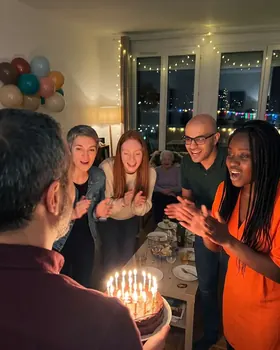
- Birthday Young and old in the photos: every guest adds their own.
- Seminars and team events Team challenges to break the ice, and all the photos in one place.
- Party Housewarming, surprise birthday, hen or stag night: the night told by everyone.


Read more: How to collect your wedding guests’ photos · All our guides
Your event starts here.
Create your event on the website or in the app and print the QR codes: your guests do the rest.